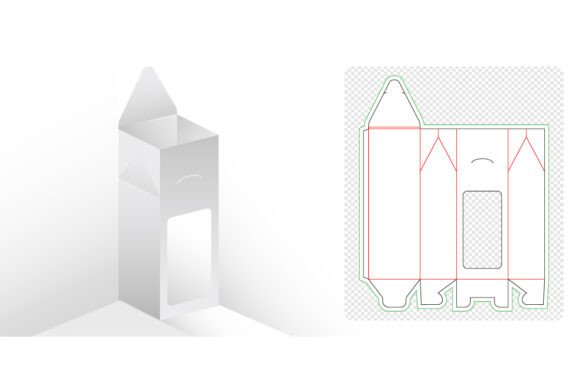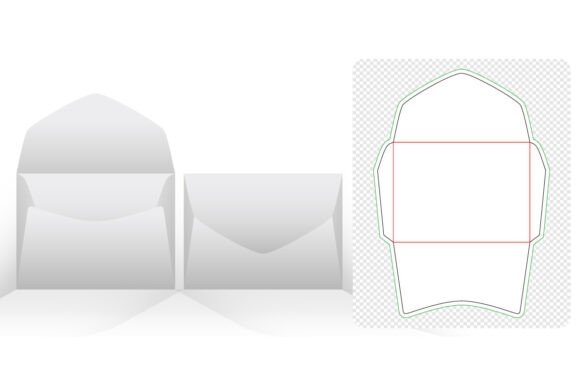
Envelope Packaging Die Cut Templates: A Guide to Precision and Design
In the world of physical branding and product presentation, the unboxing experience is often the first tangible interaction a customer has with a brand. While digital interfaces are sleek and instantaneous, the tactile nature of paper packaging offers a unique opportunity to convey quality, care, and attention to detail. At the heart of this process lies the structural blueprint known as envelope packaging die cut templates. These digital files serve as the foundation for creating custom envelopes, sleeves, and holders that protect products while enhancing their visual appeal.
For designers, small business owners, and creative professionals, understanding how to leverage these templates can transform a simple mailing solution into a powerful marketing tool. Whether you are designing wedding invitations, luxury product compartments, or minimalist conceptual holders, the right template ensures that your vision translates perfectly from screen to print.
The Importance of Structural Precision in Packaging
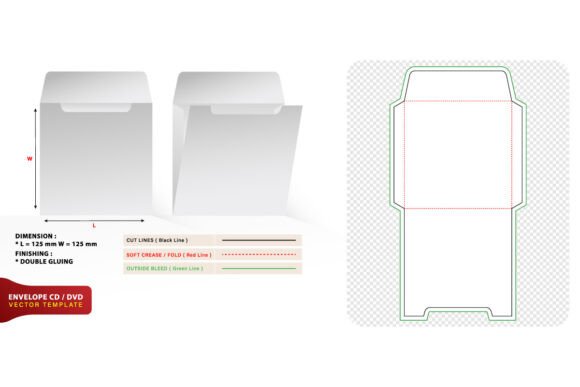
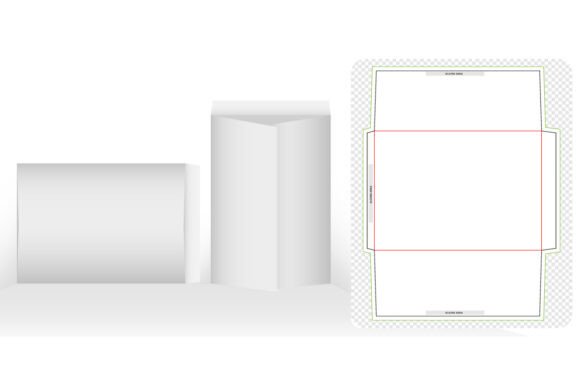
Many aspiring designers make the mistake of focusing solely on the graphic elements of an envelope—colors, logos, and typography—while neglecting the underlying structure. However, without a precise die line, even the most beautiful design can fail during production. A die cut template provides the exact measurements for cuts, folds, and glue tabs. It acts as a map, guiding the manufacturing process to ensure that the final product assembles correctly.
When you utilize high-quality envelope packaging die cut templates, you eliminate guesswork. These templates are typically created with meticulous attention to bleed areas and safety zones. This means that when your design is printed and cut, there are no unexpected white edges or misaligned folds. For businesses ordering in bulk, this precision reduces waste and ensures consistency across thousands of units. For individual creators, it saves time and money by preventing costly printing errors.
Key Features of Professional-Grade Templates
Not all templates are created equal. To achieve professional results, it is essential to source files that meet specific technical standards. Here are the critical characteristics to look for:
- High Resolution (300 DPI): Print quality depends heavily on resolution. A template designed at 300 dots per inch ensures that lines remain crisp and details are sharp, avoiding pixelation in the final print.
- Vector-Based Graphics: The best templates are 100% vector. This means they are made of mathematical paths rather than pixels, allowing you to scale the design to any size without losing quality. Vector files are also fully editable, giving you complete control over shapes and dimensions.
- Organized Layers: A well-organized file separates die lines, fold lines, and bleed areas into different layers. This organization makes it easier to toggle visibility and ensures that cutting lines do not accidentally appear in the final printed artwork.
- Multiple File Formats: Versatility is key. Look for templates available in Adobe Illustrator CC, EPS Version 10, and PDF formats. This compatibility ensures that you can open and edit the files regardless of your software version or preference.
Versatility in Application: Beyond the Standard Envelope
While the term "envelope" might conjure images of standard mailers, modern envelope packaging die cut templates offer a wide range of structural possibilities. These designs are adaptable to various industries and use cases, providing unique solutions for different needs.
Elevating Wedding Invitations
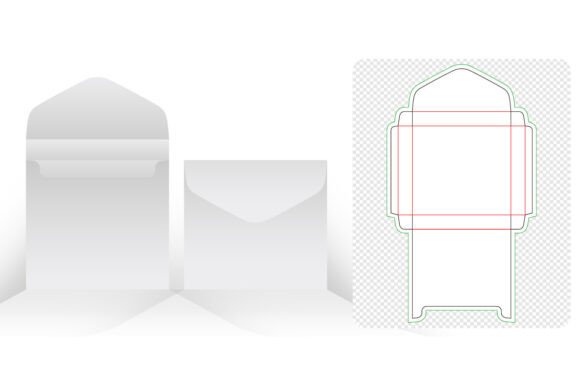
Wedding stationery is one of the most common applications for custom envelope designs. Couples often seek unique ways to present their invitations, moving beyond traditional rectangular formats. Using specialized templates, designers can create pocket-fold envelopes, belly bands, or intricate laser-cut patterns that hint at the elegance of the event inside. The ability to edit shapes and colors allows for perfect coordination with the wedding theme, whether it is rustic, modern, or classic.
Product Compartments and Branding
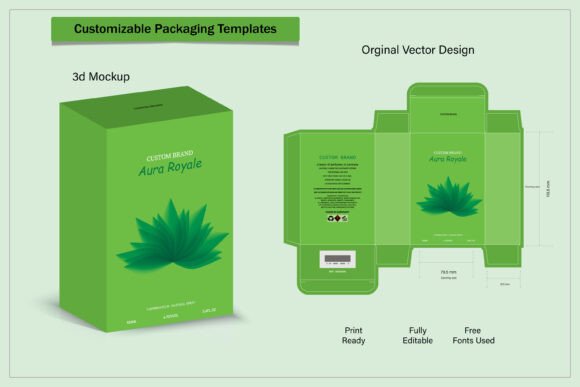
For e-commerce brands, packaging is a silent salesman. Custom envelopes can be designed with internal compartments to hold multiple items securely, such as jewelry, cosmetics, or tech accessories. A minimalist conceptual holder can provide a sleek, uncluttered look that highlights the product itself. By incorporating brand colors and logos directly into the structural design, companies reinforce their identity every time a customer opens their package. This level of customization turns a routine delivery into a memorable brand experience.
Marketing Materials and Promotional Kits
Direct mail marketing remains effective when executed creatively. Unique envelope designs can increase open rates by sparking curiosity. Templates that allow for unusual shapes or interactive elements, such as tear-off strips or window cutouts, can make promotional materials stand out in a crowded mailbox. The copy space provided in these templates allows for clear messaging while maintaining aesthetic balance.
Navigating Technical Considerations and Limitations
While envelope packaging die cut templates offer immense creative freedom, it is important to approach them with a realistic understanding of production constraints. Designing for print requires a different mindset than designing for screens.
Material Thickness: The type of paper or cardstock you choose will affect how the envelope folds and holds its shape. Thicker materials may require adjusted score lines to prevent cracking. Always test your design with the intended material before committing to a large print run.
Glue and Assembly: Some templates include areas for adhesive application. It is crucial to keep these areas free of heavy ink coverage, as excessive ink can interfere with adhesion. Additionally, consider the ease of assembly. Complex designs may require manual folding, which can increase labor costs for large orders.
Printer Communication: Even with a perfect template, communication with your printer is vital. Provide them with the original vector files and clearly indicate which layers are for cutting and which are for printing. Many printers prefer PDFs with outlined fonts to avoid compatibility issues.
How to Choose the Right Template for Your Project
Selecting the appropriate template involves balancing aesthetic goals with practical requirements. Here is a step-by-step approach to evaluating suitability:
- Define the Purpose: Is the envelope for mailing, retail display, or gift-giving? Mailing envelopes must meet postal regulations regarding size and weight, while retail packaging can be more experimental.
- Assess Content Dimensions: Measure the items that will go inside the envelope. Ensure the template provides enough internal space, accounting for the thickness of the contents. Leave a margin for error to prevent tight fits that could damage the product.
- Check Editability: Confirm that the template allows for easy modification of dimensions if needed. Fully editable shapes and colors enable you to tweak the design to fit specific branding guidelines.
- Review File Quality: Ensure the file is watermark-free and includes all necessary components. High-resolution 300 DPI files with vector graphics are non-negotiable for professional results.
Maximizing Value Through Customization
The true value of envelope packaging die cut templates lies in their adaptability. Because these files are fully editable, they serve as a starting point rather than a rigid constraint. Designers can modify curves, adjust flap sizes, or add decorative cutouts to create something truly unique. This flexibility encourages experimentation and innovation.
For those new to packaging design, starting with a pre-made template reduces the learning curve. It provides a reliable structure that has already been tested for functionality. As skills develop, designers can begin to manipulate these base structures to create proprietary designs that set their brand apart.
Moreover, the availability of these templates in multiple formats like Adobe Illustrator CC, EPS, and PDF ensures that they integrate seamlessly into existing workflows. Whether you are using advanced design software or simpler tools, there is a format that will work for you. The absence of watermarks and the inclusion of copy space allow for unrestricted creative expression.
Conclusion
In an increasingly digital world, the tactile experience of opening a well-designed envelope holds significant power. Envelope packaging die cut templates provide the technical foundation necessary to harness this power effectively. By offering precision, versatility, and ease of use, these templates empower creators to produce packaging that is both functional and beautiful.
Whether you are designing wedding invitations, product packaging, or promotional materials, investing in high-quality, vector-based templates is a smart decision. They save time, reduce errors, and elevate the perceived value of your content. Remember to consider material constraints, communicate clearly with printers, and leverage the editability of these files to create designs that reflect your unique brand identity. With the right tools and approach, your packaging can become an integral part of your storytelling, leaving a lasting impression on every recipient.
If you have any questions about specific template features or need guidance on selecting the right format for your project, feel free to reach out to design communities or professional printers. Hope you like exploring the possibilities of custom envelope design. Thanks for reading.